
| Download Now | Screen Saver | Features | What's new | Purchase |
Version 3.0 - Tuesday September 15th 2009
For more recent version see the RegNow page instead
Lissajous_3D_Setup [2.5 MB]
When your browser asks you whether you want to save it or run it from its present location, the usual thing is to choose Save . Take a note of where you saved it.
Once the download is complete, look in the save folder for Lissajous_3D_Setup , and run it (usually with a double click). Or your web browser may offer to run it for you automatically after the download.
You will see this screen next, where you can choose what to install - most will install everything:
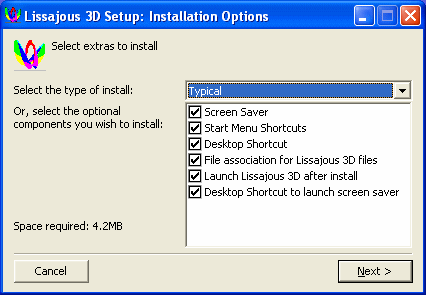
The screen saver desktop shortcut lets you start up the screen saver's swirling Lissajous shapes at any time - it works whatever your current screen saver for your computer and doesn't change your screen saver. The right click menu for the shortcut also has an Install option which gives you a quick way to install Lissajous 3D as your screen saver.
Press Next .
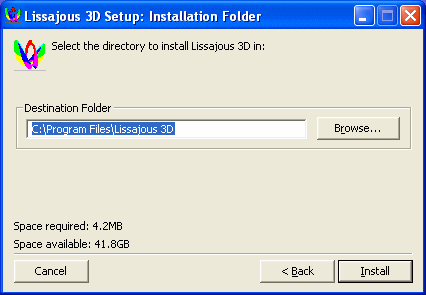
Glance at the install directory to see if that is where you want to install it - the preset location of C:\Program Files\Lissajous 3D will be suitable for most. Some prefer to install it in their My Documents folder so that its files are more easily accessible, or directly in Drive C. If you want to change the location, use the browse button to naviage to wherever you want to put it.
Click Install . Finally click Close , and the installation is complete. Lissajous 3D will run straight away.
To run it again in the future, look for the Lissajous 3D icon on your desktop:

Or go to Start | Programs | Lissajous 3D | Lissajous 3D .
A quick way to set Lissajous 3D up as the screen saver for your computer is to right click on your new desktop shortcut for the Lissajous 3D screen saver and choose Install. Here this means to set it as your current screen saver.
Now that it is installed, you can delete the installer itself if you wish - the file you downloaded - as the installation is complete. Some keep it for possible future use to save the need to redownload if they want to install another copy somewhere else or reinstall.
This installer is very system friendly. It doesn't change any system files or settings. All it does is to install Lissajous 3D into its own folder, and add shortcuts to it to the desktop (if wished) and the Start menu, and install the screen saver if desired.
This download page is for the version of the program which is bought on-line using the Reg Now secure order form or via Pay Pal. If you want to purchase Lissajous directly from within the application, you can get the other version which uses the eSellerate system.
Right click on your new desktop shortcut for the Lissajous 3D screen saver and choose Install.
It will look something like this:
 |
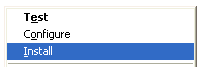 |
Actually (from the user's point of view) this option just sets it as your current choice of screen saver - it doesn't really install it, as the screen saver is already installed on your computer.
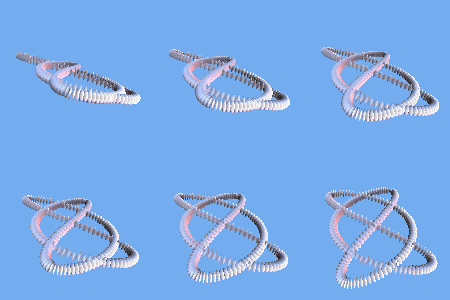
You can see all the images the screen saver plays here: Screen Saver pictures for Lissajous 3D. Bear in mind that in the screen saver they continually swirl around and change shape. These are just single frames from each animation.
It either shows them at random, or you select a particular one you want to show every time. You can make your own new Lissajous 3D animations for the screen saver as well. Just save your Lissajous pattern made with the program into the same folder as all the other ones for the screen saver.
For music, it plays midi clips of fractal music saved from Fractal Tune Smithy (FTS). It can also play your own mp3s or CD tracks. Also as a special feature, it can play a newly made randomly generated fractal tune for each pattern. You need to install FTS as well for this feature - then FTS can run in the background playing its music while the screen saver shows the animations. See the Fractal Tune Smithy Download Page .
A Lissajous curve is a curve traced out by the motion of an oscillating point. The original Lissajous curves were inspired by sound, and were made by attaching mirrors to a tuning fork and using those to reflect light to make the patterns. Physicists often modify their oscilloscopes to show Lissajous figures.
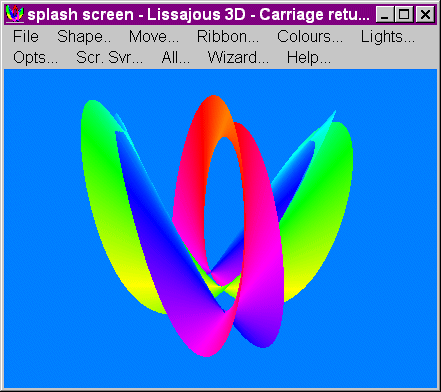
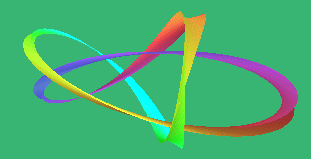
Lissajous 3D draws these figures in 3D as a ribbon, or a tube, with varying cross section, and uses a point oscillating in three dimensions instead of the original two. Here is an example using a ribbon:
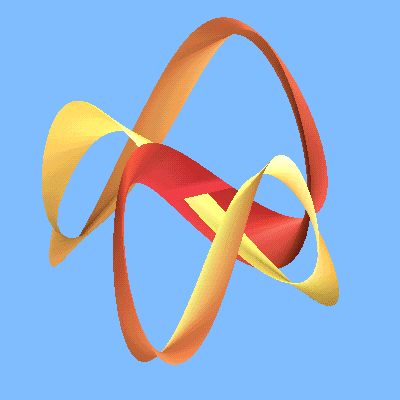
You can change the width of the ribbon, and the colours and materials, and the background colour. Materials use the real values for the ambient and specular colours etc for real physical materials such as copper, gold, etc. This image here shows gold and ruby with the material transforming from gold to ruby and back again along the length of the ribbon.
Here is an example using a hexagonal cross section tube instead:
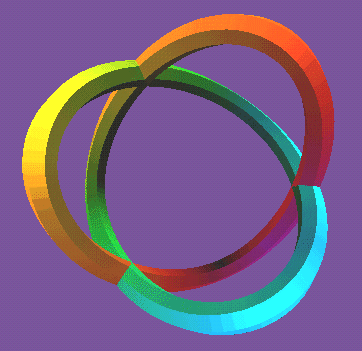
Then, you can also use straight line segments instead of curves to get string figure like shapes, such as this one:
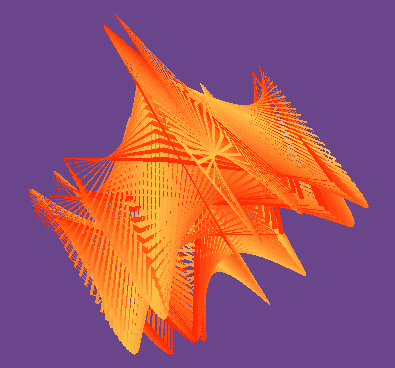
You can also set the lighting for dawn, sunset, a sunny day and other presets or make your own.
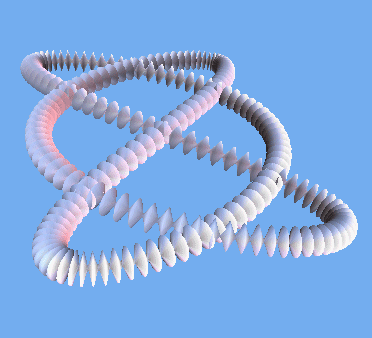
This uses pearl for the material, and dawn for the lighting.
Many more examples are included with the program and as part of the screen saver. What these images don't show is that all these shapes are animated - they transform in shape as time goes by.
Like this:
For an on-line copy of the help for the program: Lissajous 3D Overview
It also has extensive help in the form of tool tips and extra help that shows up within the program itself.
Here is a copy of it on-line: Lissajous 3D Help ..
See the What's New page .
You can opt to be informed about any updates to Lissajous 3D or to be told about any new 3D programs released. To do so send an e-mail to support@tunesmithy.co.uk to say you want to be on the Lissajous 3D list and / or the new 3D programs announcement list.
If you download the setup program from this page then you can buy directly from within the program itself using the eSellerate software retail system.
You can also purchase it using RegNow or Paypal - for details see the other download page .
See also Will my unlock key work on any computer? (opens in new window) (Answer is NO!!!)